About the Box Model
The CSS box model is a very important foundational concept in web development. Simply put, the box model means every HTML element should be imagined as a rectangular box with 4 distinct layers; the content, padding, border, and margin.
The reason the box model is so important is because understanding it is how a developer knows how to layout HTML elements in the webpage. Its understanding helps decide how much width an element should have, if the HTML element should have border lines around it, the difference between the HTML element's margin and padding, and when to use which.
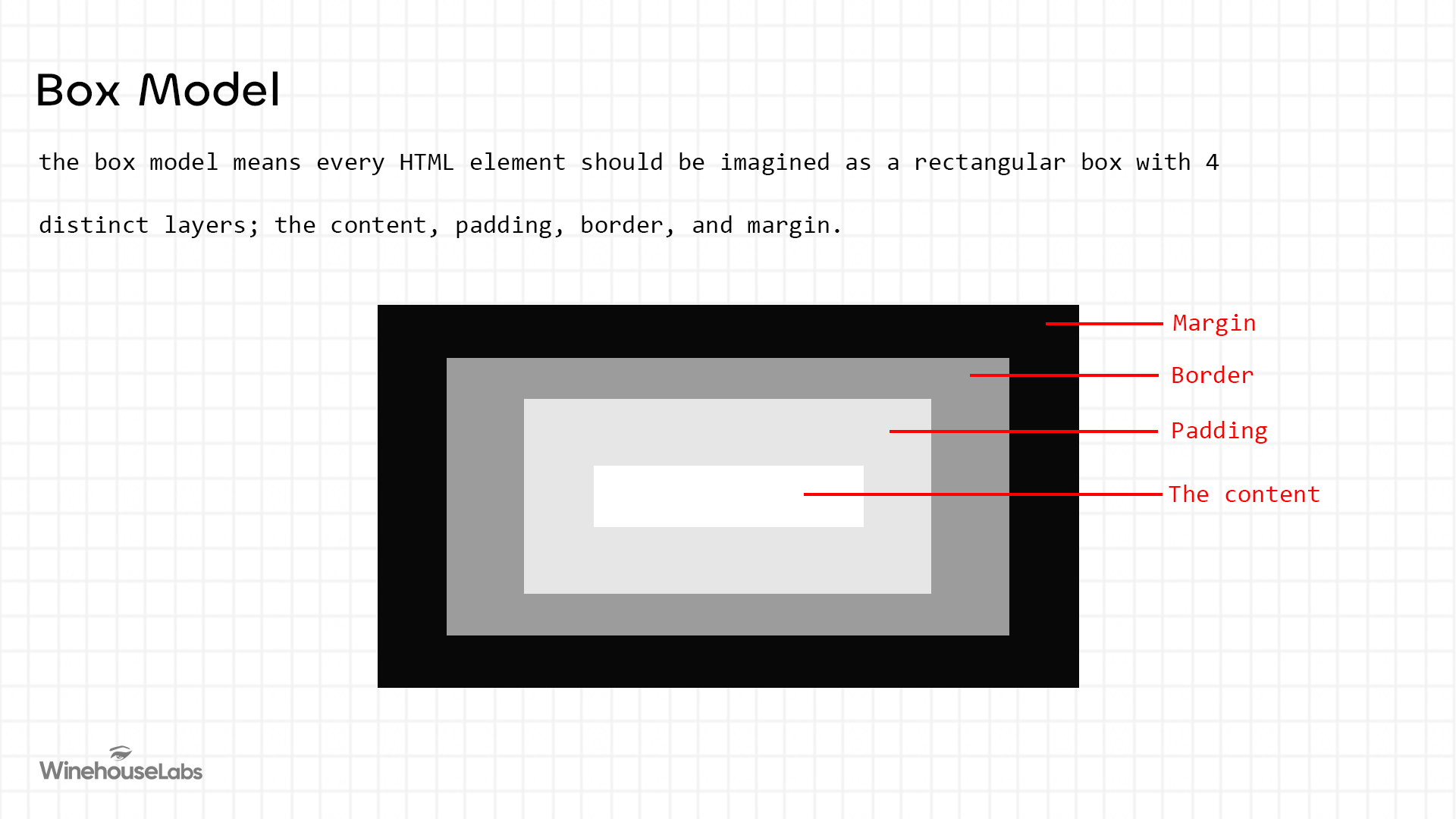
The Content
The content layer is the actual content between the HTML tags being rendered by the browser. This means content is maybe a text or image in-between an <h1> tag or <img> tag.
Padding
Padding is the vertical and horizontal spaces surrounding the content. Padding is what determines how much space is between the content and its borders. It should be noted padding is often confused with margin which is entirely different. While padding creates vertical and horizontal space between the content and its borders, margin dictates space between the content and other HTML elements surrounding it.
Border
A border surrounds the padding and content. It can be styled with a color, a width, and a style value. Common style values include solid, dashed, dotted, double, groove, and ridge. It is important to note that the border is not purely decorative — under the browser's default box model, the border contributes to the total rendered size of the element.
Margin
The primary purpose of margin is to create space between the content and other contents surrounding it. Margins can be created horizontally and vertically.
The Four Layers
| Layer | Description | Visual Impact |
|---|---|---|
| Content | The actual text, image, or child elements. | Controlled by width and height. |
| Padding | The transparent space inside the border, surrounding the content. | Increases the clickable area and creates internal "breathing room." |
| Border | The line that goes around the padding and content. | Can be styled with color, width, and style (solid, dashed, dotted, etc.). |
| Margin | The space outside the border. It separates the element from its neighbors. | Used to create gaps between elements on the page. |
How Browsers Calculate Element Size
Understanding the layers is only half the picture — it is equally important to understand how browsers calculate the total size of an element.
By default, browsers use box-sizing: content-box, which means the width and height properties apply only to the content layer. Padding and border are added on top of that. So an element with width: 200px and padding: 20px will actually render as 240px wide on the page, which can produce unexpected layout results.
The fix most developers apply universally is:
* {
  box-sizing: border-box;
}
With border-box, the width and height properties include the padding and border in their calculation, so the element stays exactly the size you specified. This is considered best practice in modern CSS development.